What the recorded two-cat example shows
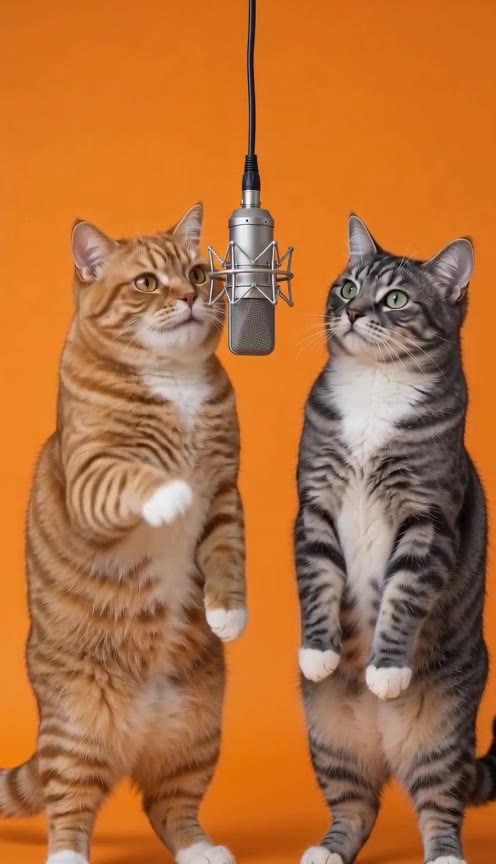
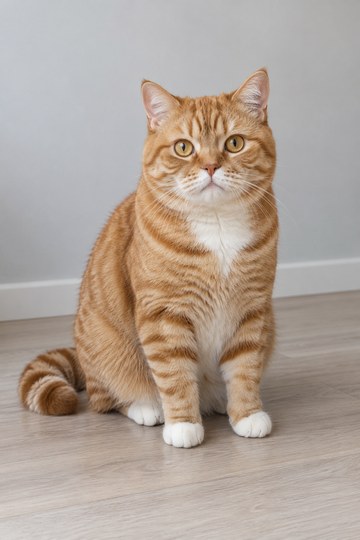
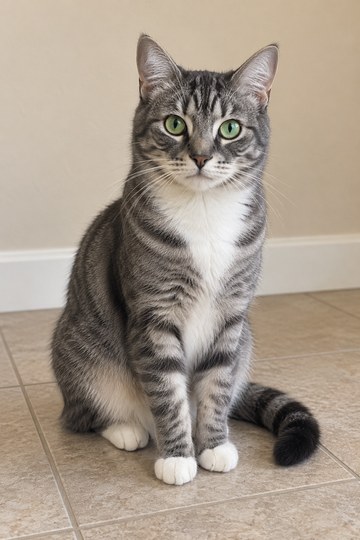
The source images show an orange tabby and a gray tabby separately. In the recorded output, both cats share a burnt-orange studio and a suspended microphone. Their coat markings make it possible to compare the references with the generated performers.
The clip includes original English AI rap, small paw gestures and a back-and-forth performance. It lasts about ten seconds and is delivered at 720 × 1280 pixels in this collection. It is an existing Hotel Lobby AI output, not a new video made from photos selected on this page.
Prepare one photo for each cat
Choose images where the face, ears and coat are easy to see. Avoid a face hidden by a paw, a very dark image or a crop that removes the ears. If both cats look similar, distinct visible markings will help you judge whether the result keeps them recognizable.
This layout uses two separate images, one cat per image. A photograph containing both cats is a different input arrangement and is not what the recorded example demonstrates. Full-body framing is especially relevant when choosing a solo dance instead of this duet.
- Keep one clearly visible cat in each reference.
- Use even lighting and avoid heavy filters.
- Check that facial features and fur details remain visible after cropping.
- Match the required photo count of the selected effect.
Explore the two-cat workflow
You do not need to write a long prompt to explore this layout. The recorded example already provides a concrete scene to inspect. Start with its inputs and sound before deciding whether it matches the effect you want.
Play the example with sound
Watch both cats for the full clip. Listen for the vocals and check each cat’s movement.
Open its photo layout
The studio selects Two Cats, One Mic and shows two labeled photo slots.
Add your local references
Choose one image per cat and check the previews. The files stay in your browser; this does not create a new performance.
Separate the soundtrack from mouth timing
An audible rap track, a cat opening its mouth and word-by-word synchronization are different things to check. Listen and watch together rather than relying on a poster or a headline claiming perfect lip-sync.
This recording contains generated vocals and music. It does not demonstrate uploading your own song, writing each cat’s lines or choosing separate voices. Those controls are not currently available on this site.
When a duet becomes a different request
If you want one cat to insult the other, a reply on a specific word and a shared chorus, you are asking for lyric and role control as well as a two-cat scene. A duet recording alone does not establish those controls.
Another approach is to make a separate performance for each cat and edit the shots together. That can produce an alternating conversation or split screen, but it is a different workflow from generating both cats in one scene. We have not validated custom cat battles here.
What to look for in the result
Compare the orange and gray coats, faces and paws with the source images. Watch for stretched anatomy, characters merging, or one cat dominating the frame. Listen to the whole soundtrack and decide whether the interactions fit the joke you had in mind.
AI generation can change expressions, body shapes, pronunciation and timing. This example is useful evidence of one specific output, not a promise that every pair of cat photos will produce the same result.
A FEW MORE DETAILS
Common questions
Can I make two dogs instead?
That is a separate subject combination. This case demonstrates two cats. Our collection also has a cat-and-dog duet, but neither case independently verifies a two-dog generation.
Can I use one cat photo twice?
The current case uses two different reference images. Duplicating one photo is not tested here, so it should not be treated as an equivalent demonstrated input.
Can I try it for free?
Watching this sample and selecting photos in the local layout are free. New video generation costs $9.90 once, plus applicable tax, and includes a private download after completion. There is no free generation trial.
About the evidence: this guide describes the source images, specifications and effect information shown on this site. It does not report a test of new visitor generations or a comparison of third-party tools. Inspect the original example.